
Blog · Comparison
Popcorn vs Trim and Other IMDb Rating Extensions
Several Chrome extensions put IMDb ratings on Netflix posters. Fewer cover Indian services, and fewer still show Rotten Tomatoes as well. This is how Popcorn compares.
We make Popcorn, so read this with that in mind. Everything said here about another extension comes from its Chrome Web Store listing as it read on 17 October 2026. Where a listing does not mention a feature, the table says "not in listing": the extension may still have it.
01 At a glance
| Extension | Services named | Ratings | Fade filter |
|---|---|---|---|
| Popcorn 110 users · 5.0 (16) | Netflix, Prime Video, JioHotstar, ZEE5, MX Player, Disney+, HBO Max, Hulu, Apple TV+ | IMDb, Tomatometer, RT audience | Yes |
| Trim 50,000 users · 3.3 (379) | Netflix, Prime Video, Disney+ "and other streaming services" | IMDb, RT critics and audience | Yes |
| Rating-Finder 483 users · 4.4 (9) | Netflix, Hotstar, Prime Video, MX Player, ZEE5, Hulu, Apple TV | IMDb | Yes |
| IMDBuddy 645 users · 4.5 (13) | Netflix, Hotstar, Prime Video, Disney+ | IMDb | Not in listing |
| SVODEX 2,000 users · 3.5 (59) | Netflix, Disney+, HBO Max | IMDb, RT | Not in listing |
| IMDb Ratings for Netflix™ 10,000 users · 1.5 (482) | Netflix | IMDb | Not in listing |
| RateFlix 8,000 users · 3.0 (123) | Netflix | IMDb, RT, Metacritic | Not in listing |
| IMDb ratings on Netflix 5,000 users · 3.0 (36) | Netflix | IMDb, RT, Metacritic | Not in listing |
Users and star ratings are as shown on each listing. Popcorn is the newest and smallest extension on this list, and its 5.0 comes from 16 ratings, so weigh it accordingly.
02 Nine services, including the Indian ones
Popcorn works on Netflix, Prime Video, JioHotstar, ZEE5, MX Player, Disney+, HBO Max, Hulu and Apple TV+. Most rating extensions were built for Netflix and name one to four services. Trim, the most popular, names Netflix, Prime Video and Disney+.
For viewers in India that difference matters: much of what you watch is on JioHotstar, ZEE5 and MX Player. Rating-Finder also names Hotstar, ZEE5 and MX Player, with IMDb ratings only. Popcorn adds both Rotten Tomatoes scores on those services, and on JioHotstar it also shows them on the title page above the name. See the guides for JioHotstar, ZEE5, Netflix and Prime Video.
03 IMDb and both Rotten Tomatoes scores
Each poster can carry three numbers: the IMDb rating (yellow ring), the Tomatometer (red) and the Rotten Tomatoes audience score (grey). On Indian films these often disagree. Kabir Singh is 7.0 on IMDb and 23% on the Tomatometer, so seeing only one of them tells half the story. Our IMDb vs Rotten Tomatoes guide explains why.
Trim also shows both Rotten Tomatoes scores, in a tooltip. Rating-Finder and IMDBuddy show IMDb only. RateFlix and IMDb ratings on Netflix add Metacritic, which Popcorn does not show.
04 Filters on the page, not in the toolbar
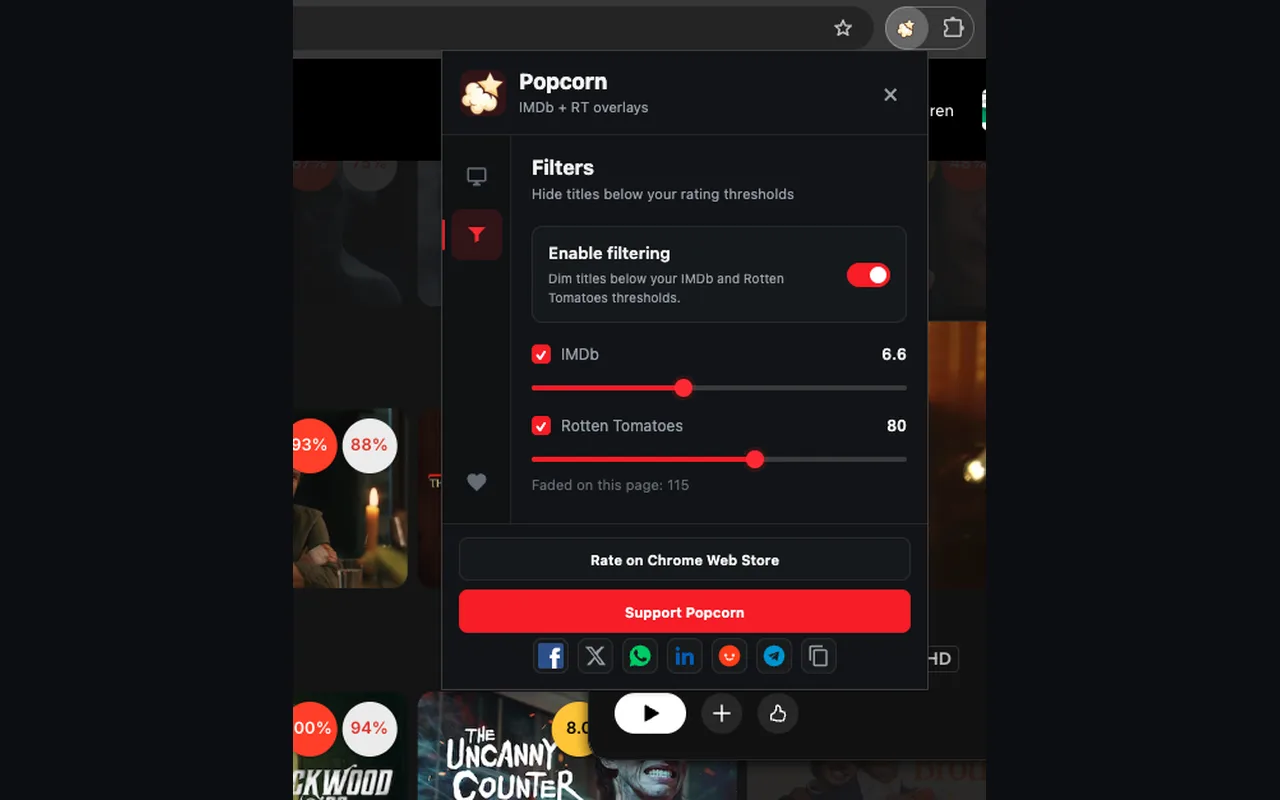
Popcorn can fade out titles below an IMDb rating (5.0 to 9.0) or a Rotten Tomatoes score (50 to 100) that you choose, and it counts how many it faded on the page. Trim and Rating-Finder offer a similar fade.
The difference is where you change it. On supported sites, Popcorn adds a small popcorn button, the Popcorn assistant, in a corner of the page. Click it to adjust the filters while you browse, without opening the extension from the toolbar. You can put it on the left or right, or turn it off. None of the other listings describe an on-page button.
05 Badges the way you like them
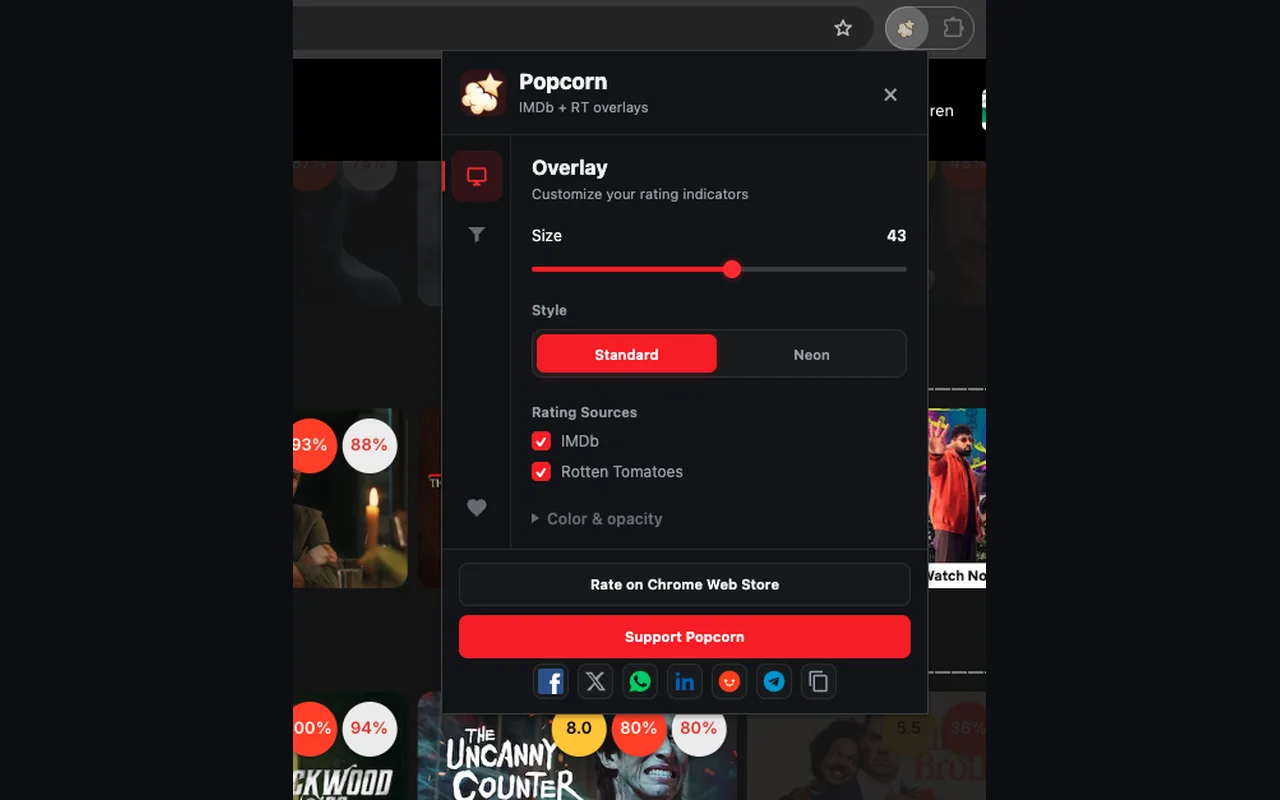
- Size: any badge size from 28 to 56 pixels, so ratings stay readable on a big monitor and out of the way on a laptop.
- Style: Standard chips or Neon rings.
- Sources: show IMDb, Rotten Tomatoes or both.
- Colour and opacity: keep each source's colour or pick one solid colour, and set opacity from 15% to 100%.
- Per service: switch Popcorn on or off for each streaming site.
Trim lets you choose which ratings appear on each service. The other listings do not describe badge settings.
06 Light on your browser, and private
- Batched requests. Popcorn collects the titles on screen and asks for their ratings in one request, not one per poster.
- Cached in your browser. Ratings are kept locally for 7 days, so rows you have already seen show their scores straight away without asking again. Titles with no rating are rechecked after 12 hours, and ones still being looked up after 10 minutes.
- No API key, no account. Popcorn's server keeps the ratings catalogue, so your browser never calls IMDb or Rotten Tomatoes and you do not sign up for anything. Some smaller rating extensions, such as Netflix IMDb & RT Ratings, ask you to get your own OMDb API key first.
- Narrow permissions. Popcorn asks Chrome only for storage and for access to the streaming sites it supports and popcornclub.in. It cannot read your other tabs or your browsing history. The privacy page lists exactly what it sends.
07 Where others are ahead
- Track record. Trim has 50,000 users and years of updates. Popcorn launched in 2026.
- Extras. Trim also has playback speed shortcuts and Netflix's hidden genres, which Popcorn does not.
- Metacritic. RateFlix and IMDb ratings on Netflix show it; Popcorn does not.
- Browsers. Popcorn is for Chrome only.
- Unmatched titles. Some titles, especially new regional originals, have no badge yet. Popcorn shows nothing rather than a guess when it cannot match a title.
08 Which one to pick
- You watch JioHotstar, ZEE5 or MX Player and want IMDb and Rotten Tomatoes: Popcorn.
- You use several services and want to tune badges and filters without leaving the page: Popcorn.
- You mostly watch Netflix and want playback speed and hidden genres too: Trim is worth a look.
- You want Metacritic on Netflix: RateFlix or IMDb ratings on Netflix.