
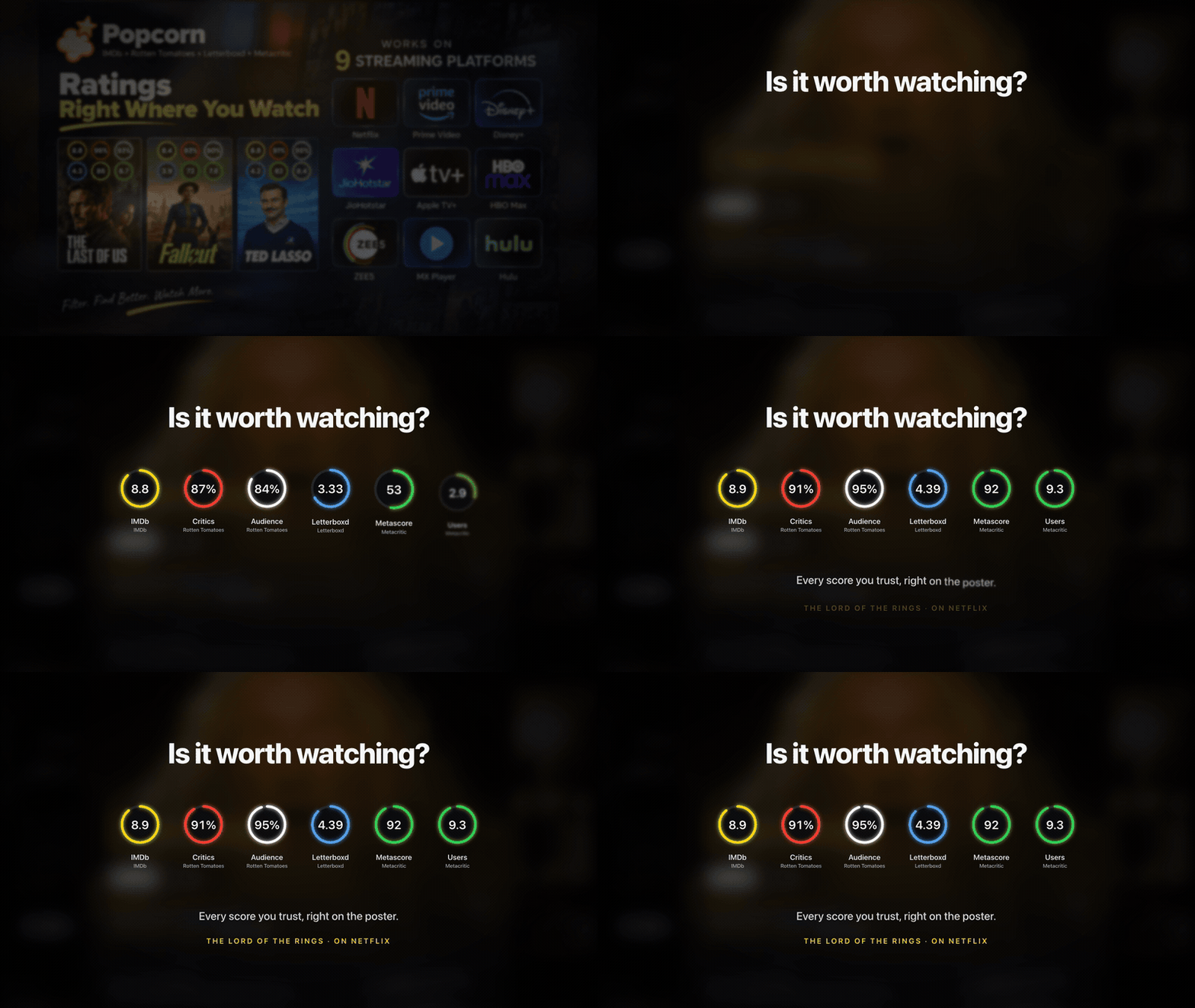
Six scores
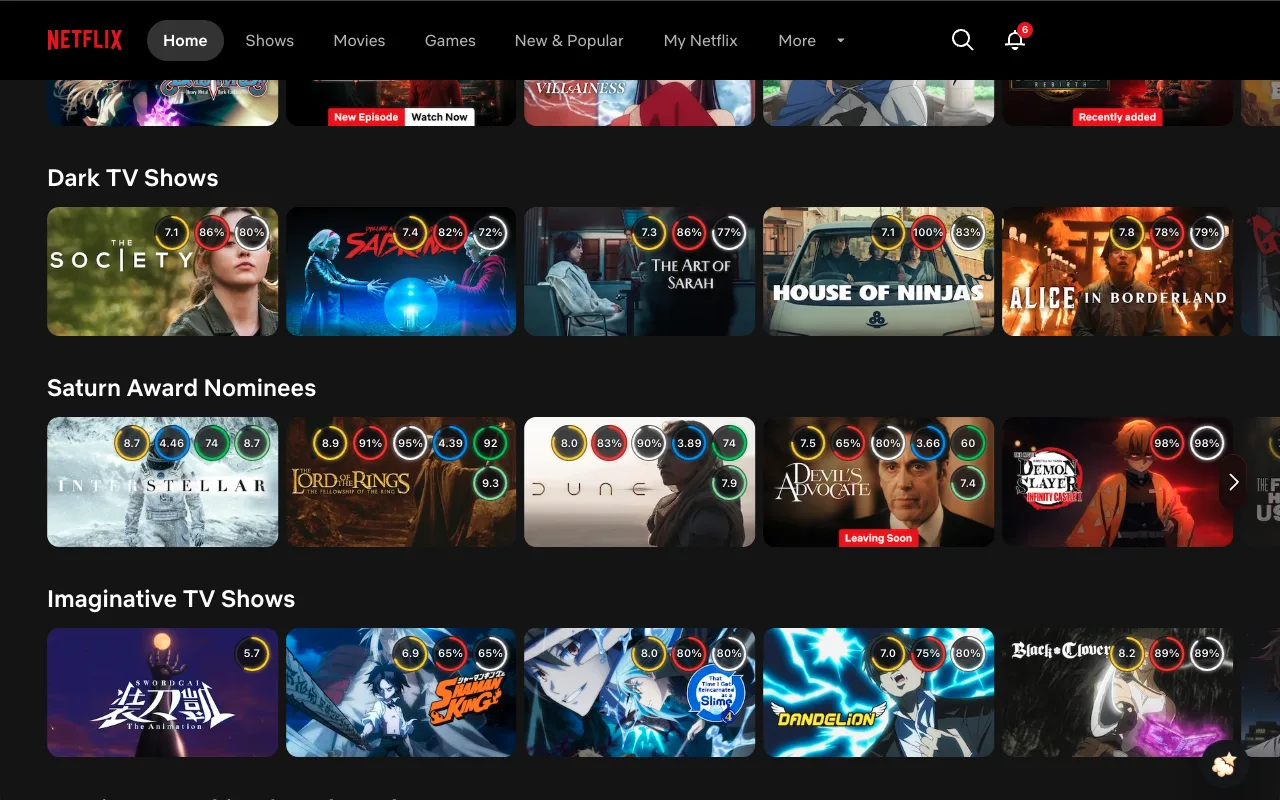
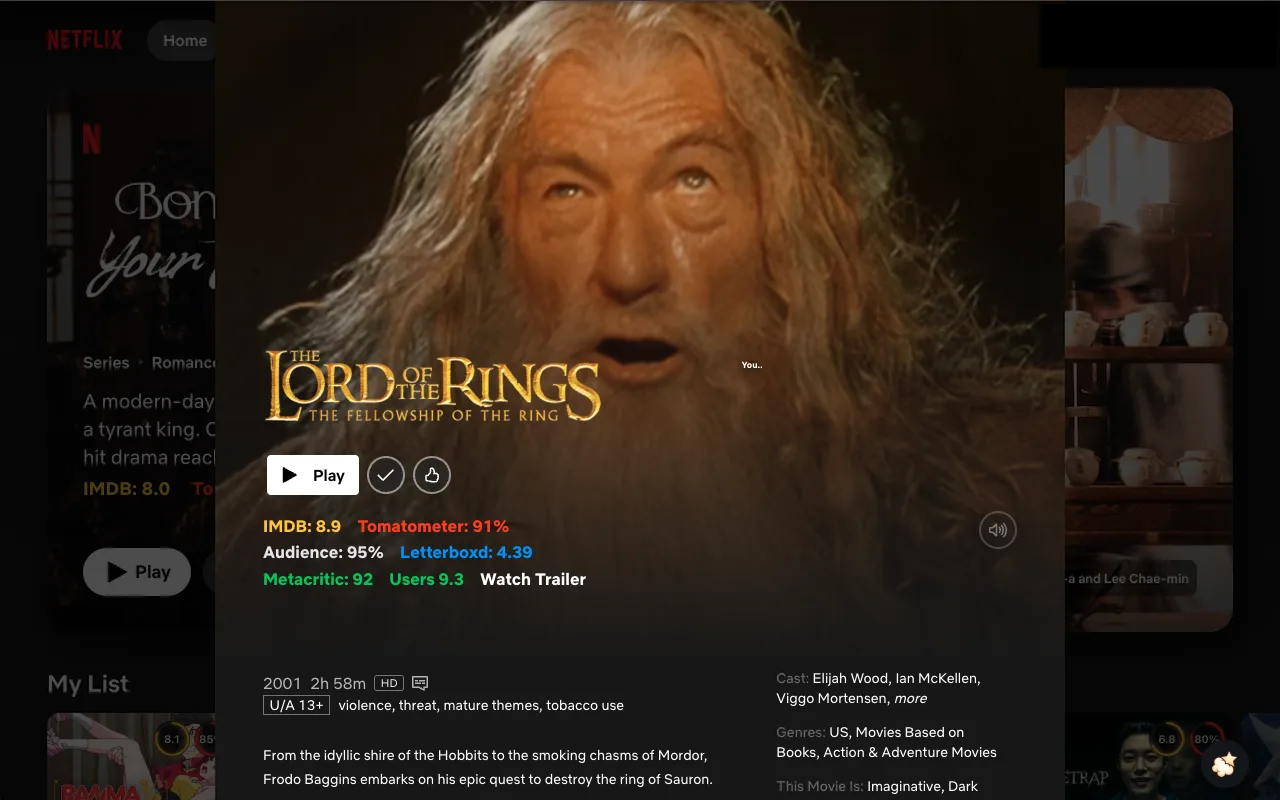
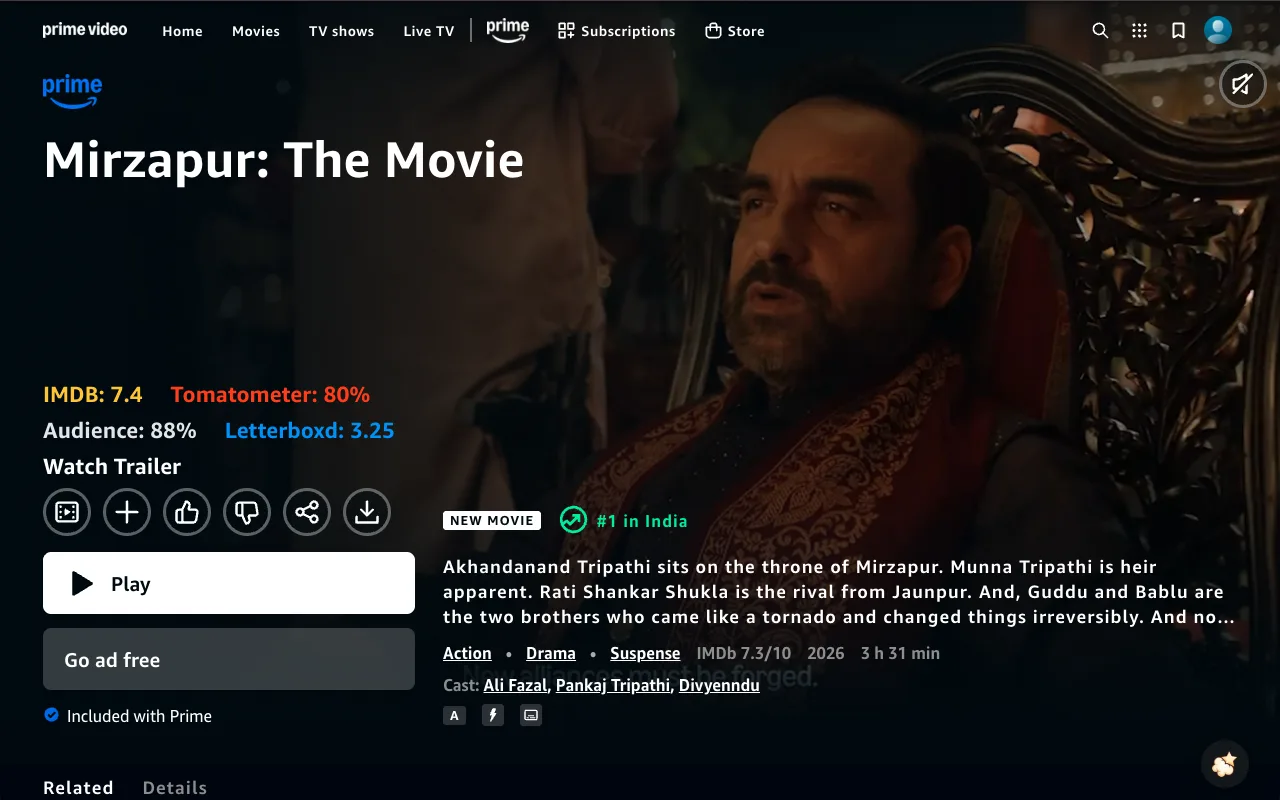
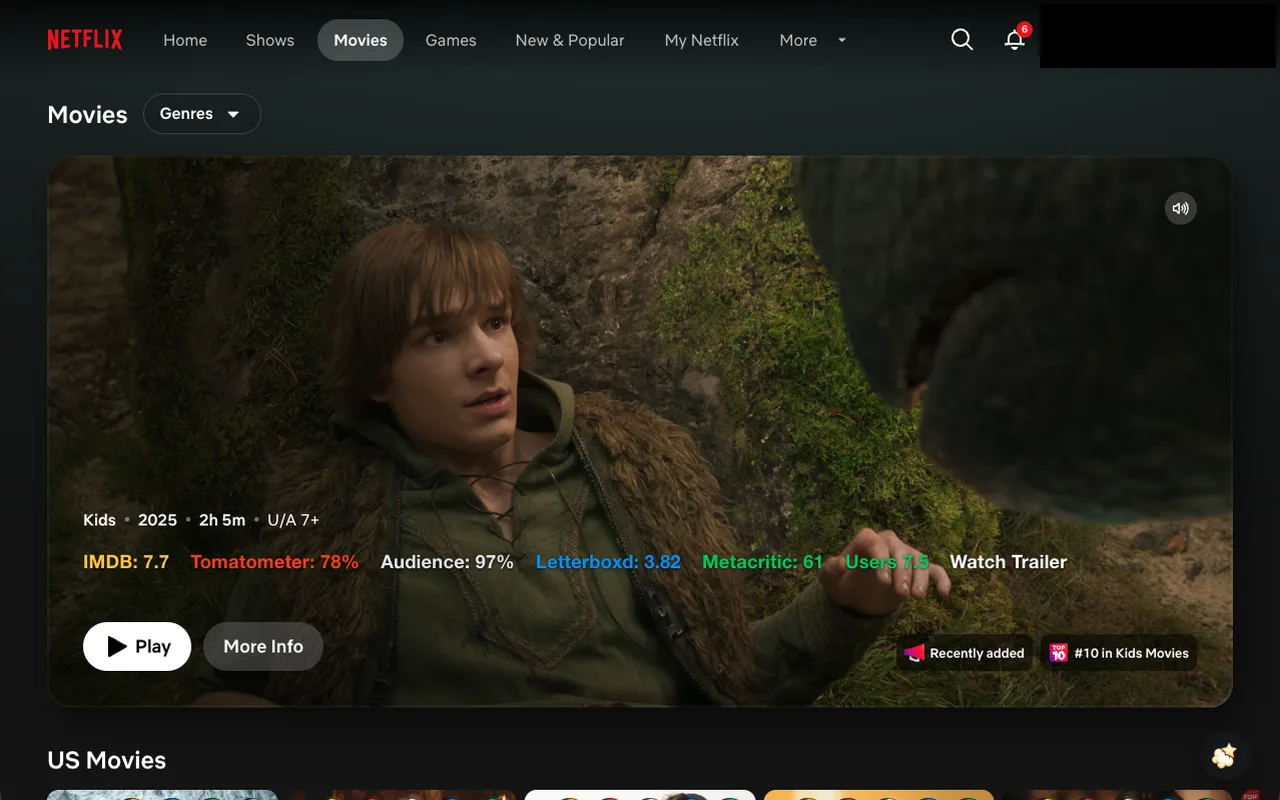
IMDb out of 10, the Tomatometer and Audience Score, Letterboxd out of 5, and the Metacritic Metascore and user score. A score appears when Popcorn has it.
Popcorn
Popcorn is a free Chrome extension that puts IMDb and Rotten Tomatoes scores on Netflix, Prime Video, JioHotstar and more — decide what to watch without leaving the page. Letterboxd and Metacritic appear on the same cards when Popcorn has them.
Rated 5.0 on the Chrome Web Store · 16 ratings · 100+ users (October 2026)
No account and no setup. Three steps.
Install it free from the Chrome Web Store. It asks only for the supported streaming sites.
Go to Netflix, Prime Video, JioHotstar or another supported catalog while signed in.
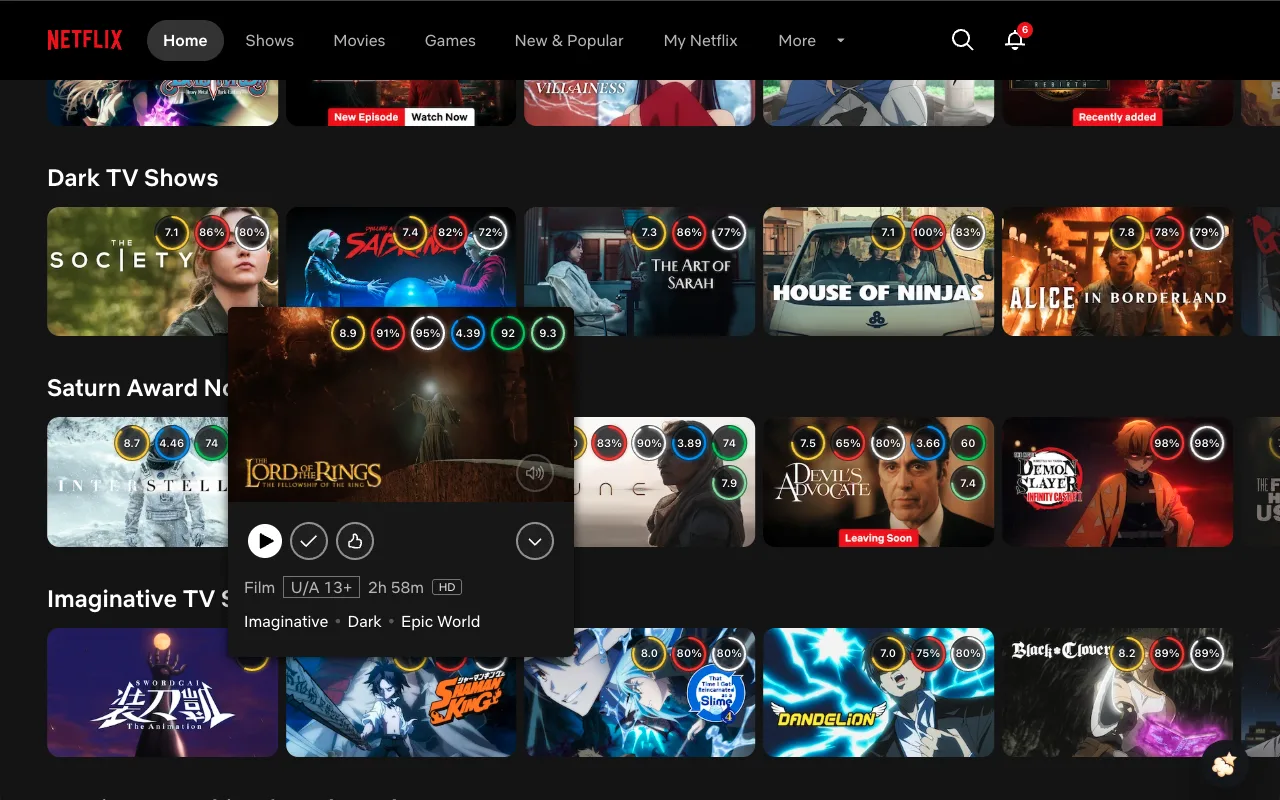
IMDb, Rotten Tomatoes, Letterboxd and Metacritic appear on each title when Popcorn has them. No more switching tabs to check.
Live overlays on browse rows and detail pages, a YouTube trailer on the title page when one is available, and an optional fade filter so weak titles stay out of the way.
New in 1.4.2: Letterboxd and Metacritic
IMDb out of 10, the Tomatometer and Audience Score, Letterboxd out of 5, and the Metacritic Metascore and user score. A score appears when Popcorn has it.
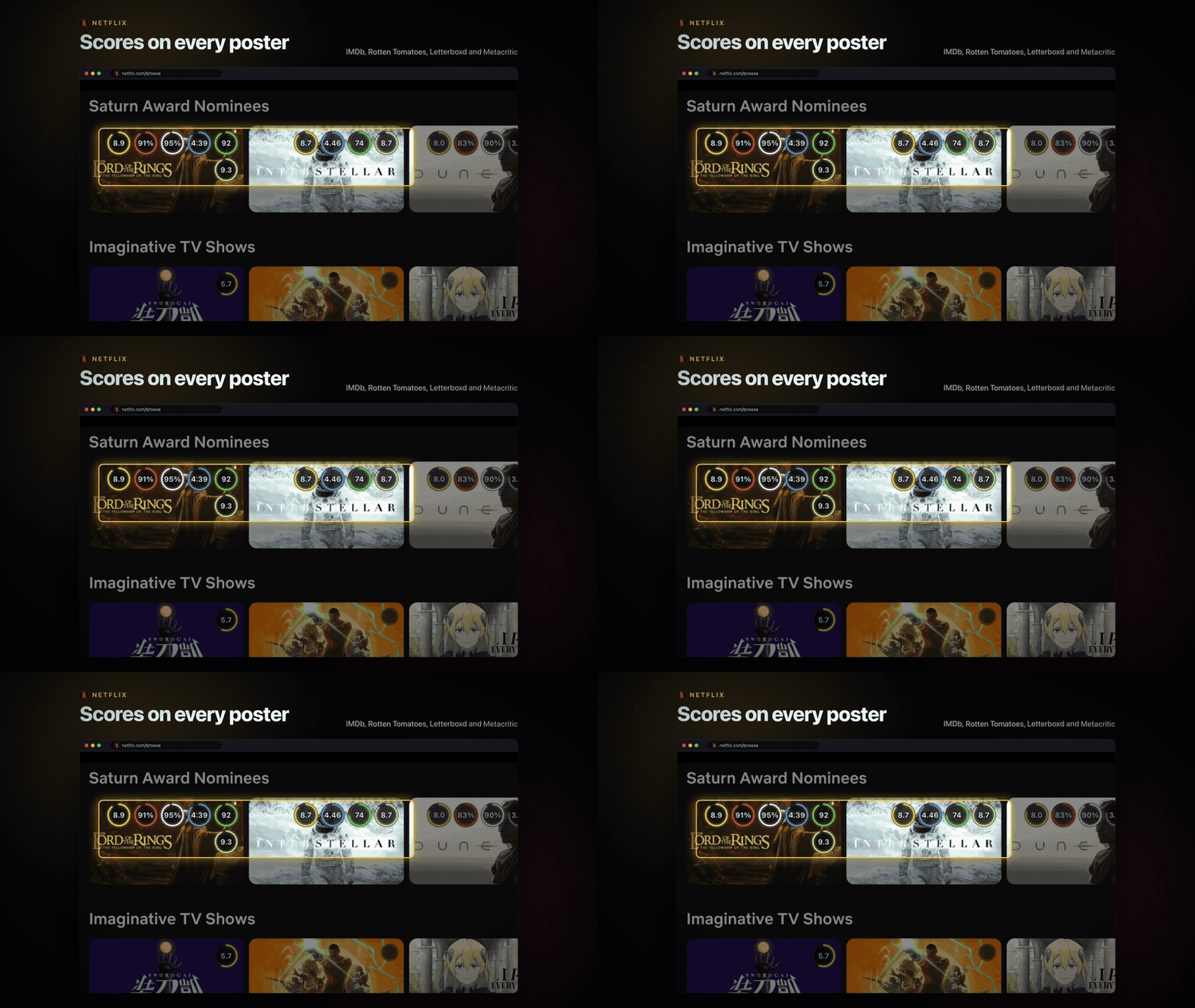
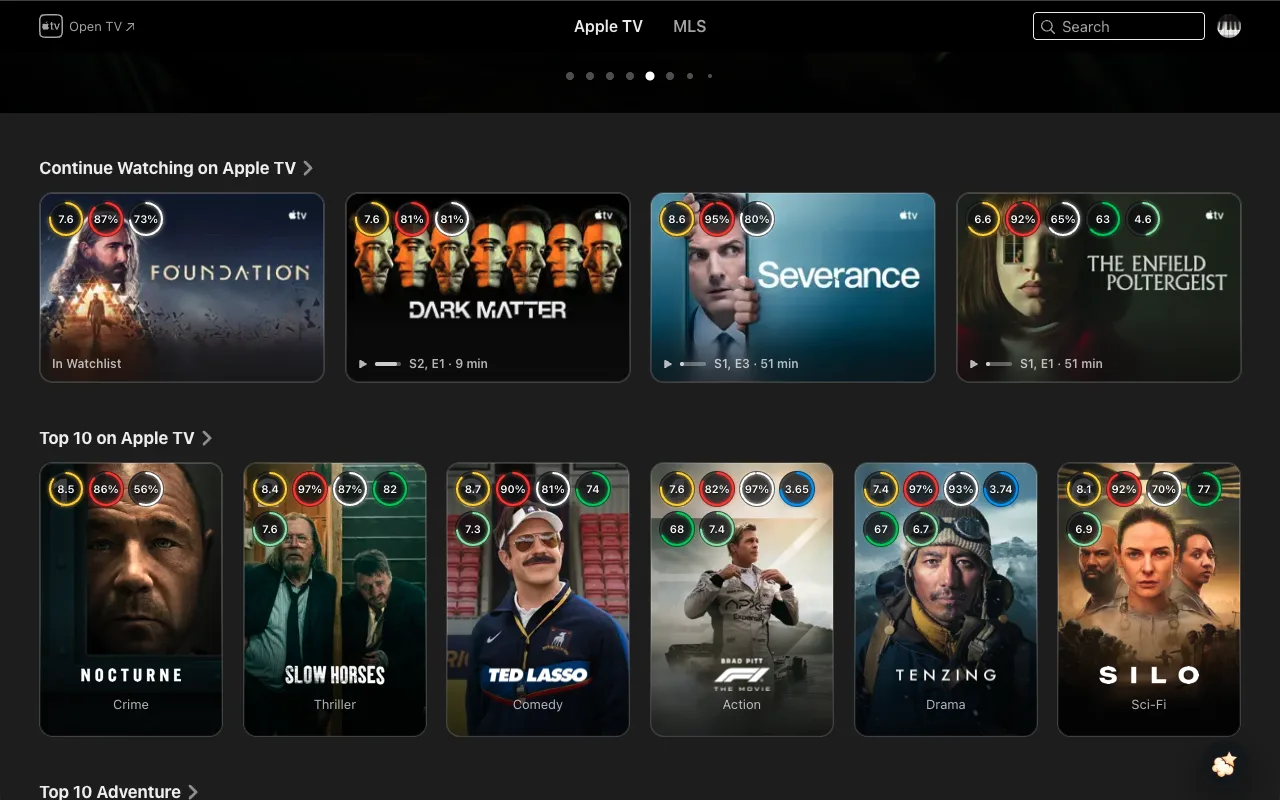
The same scores on browse cards, detail pages and hover previews, when Popcorn has them.
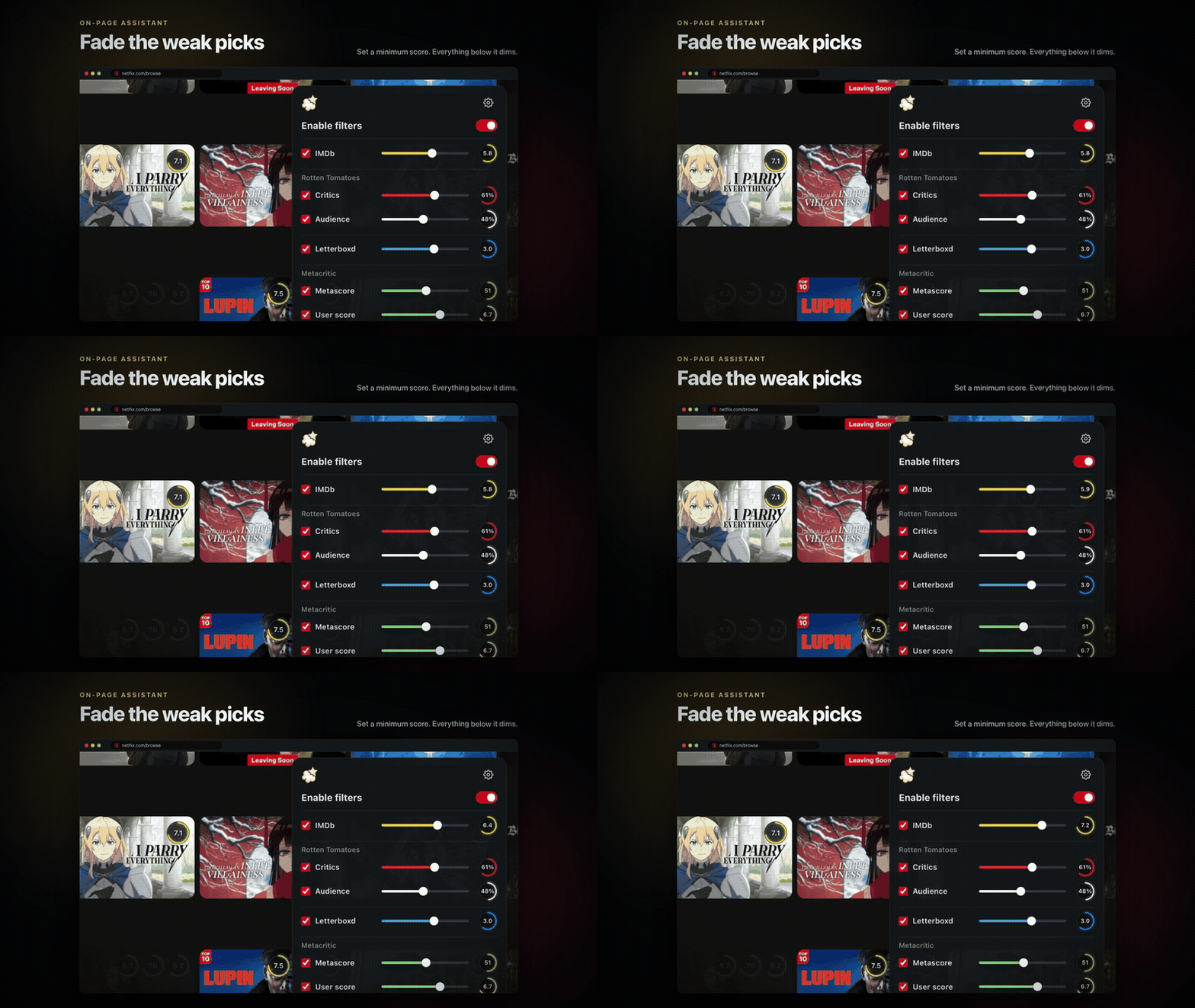
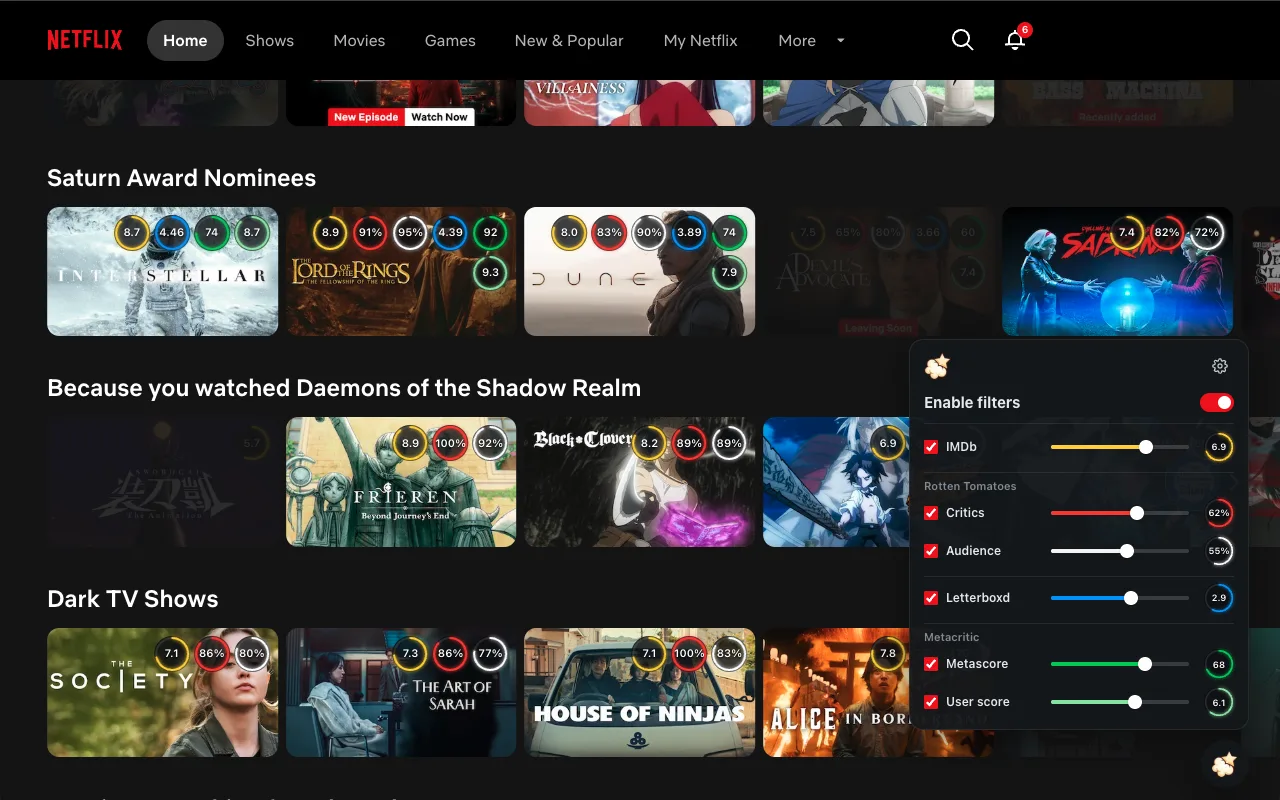
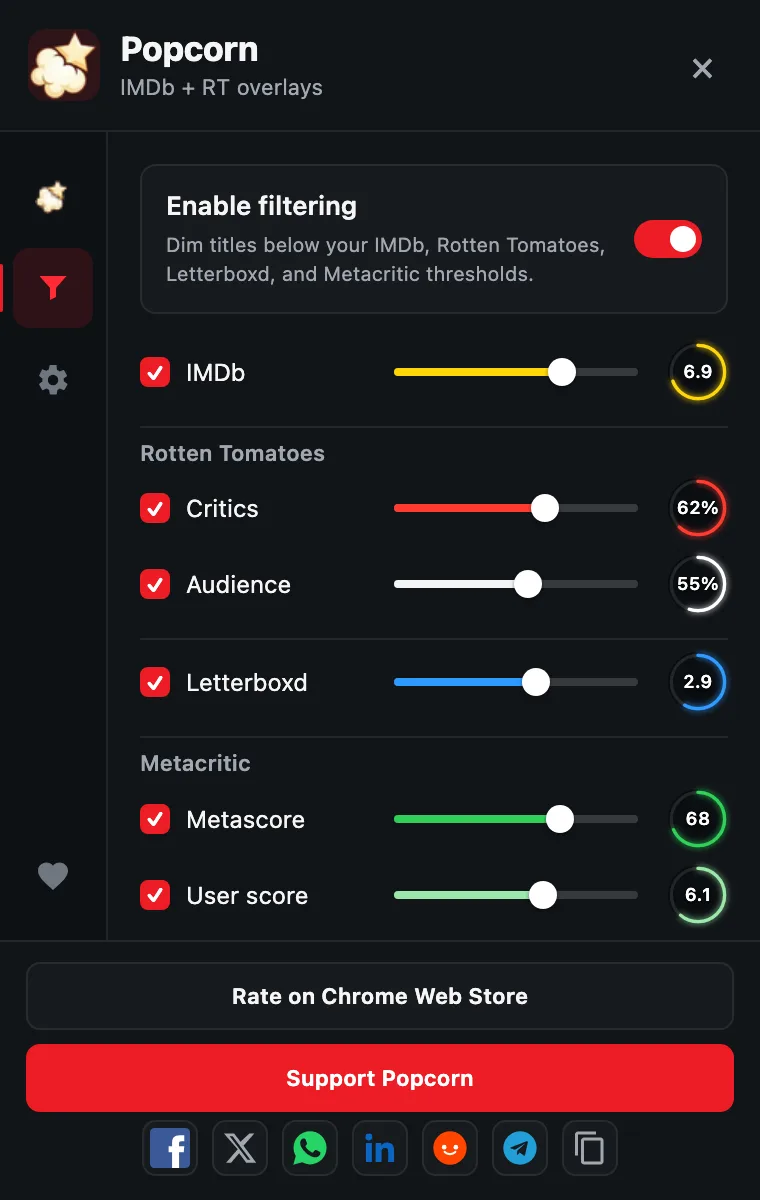
Set a minimum IMDb, Rotten Tomatoes, Letterboxd or Metacritic score and Popcorn dims everything below it. Titles without a score stay visible.
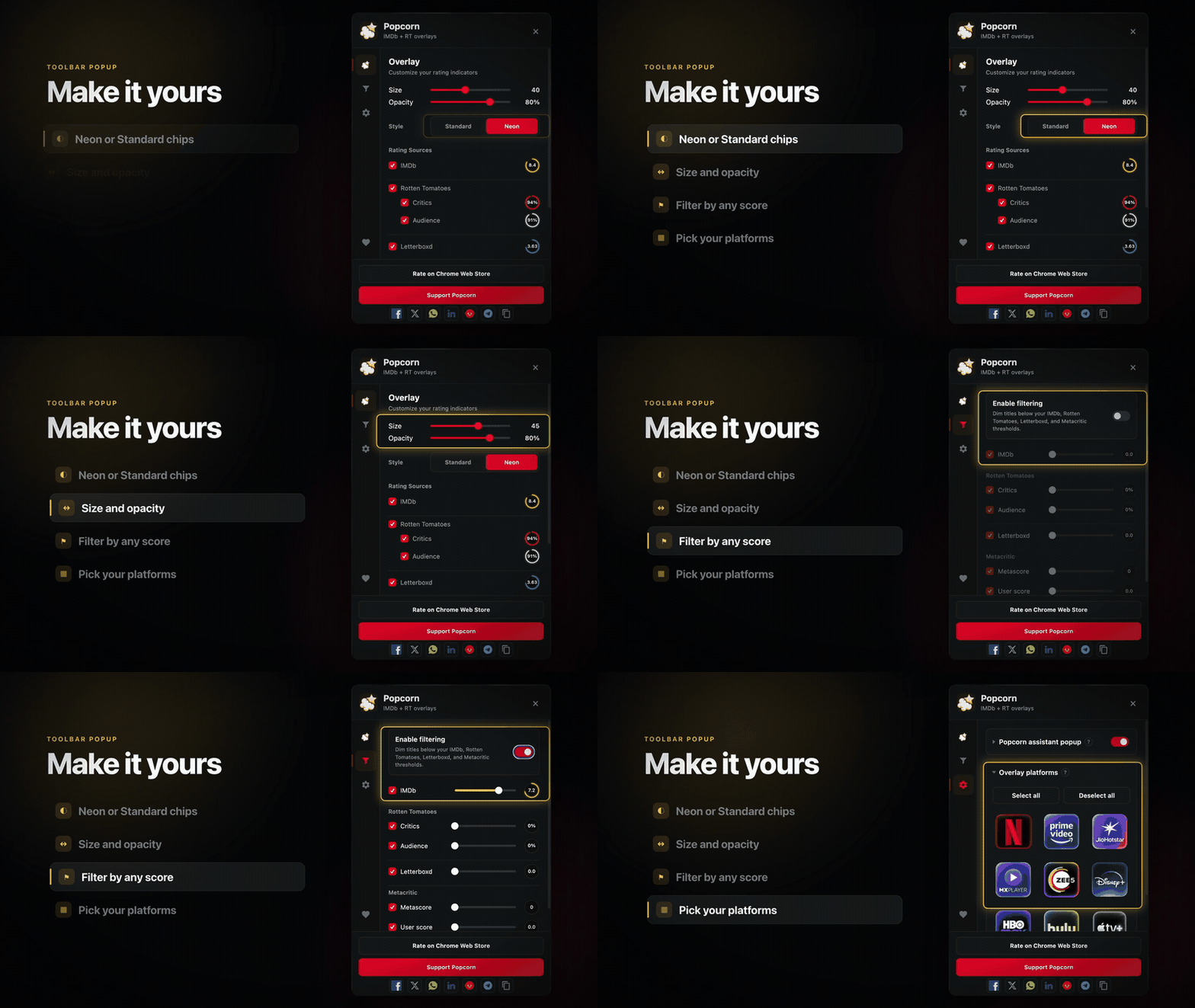
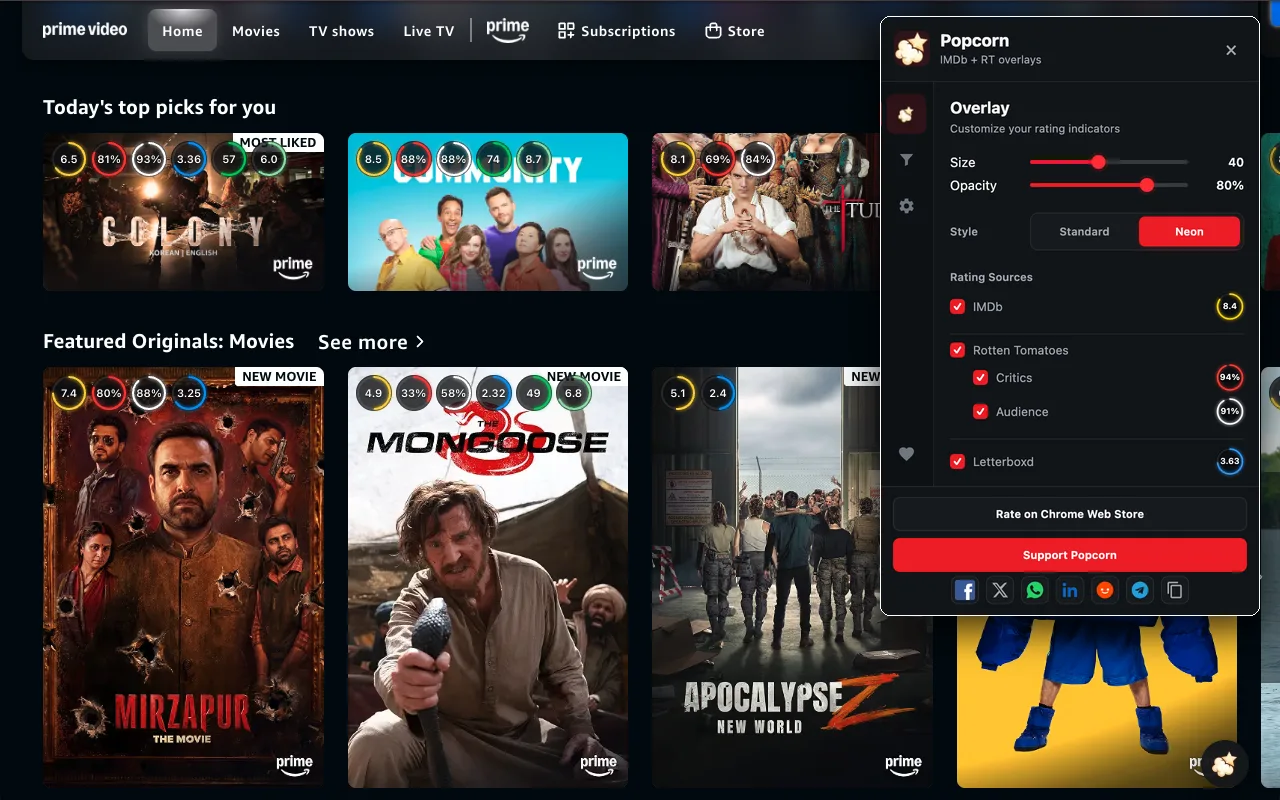
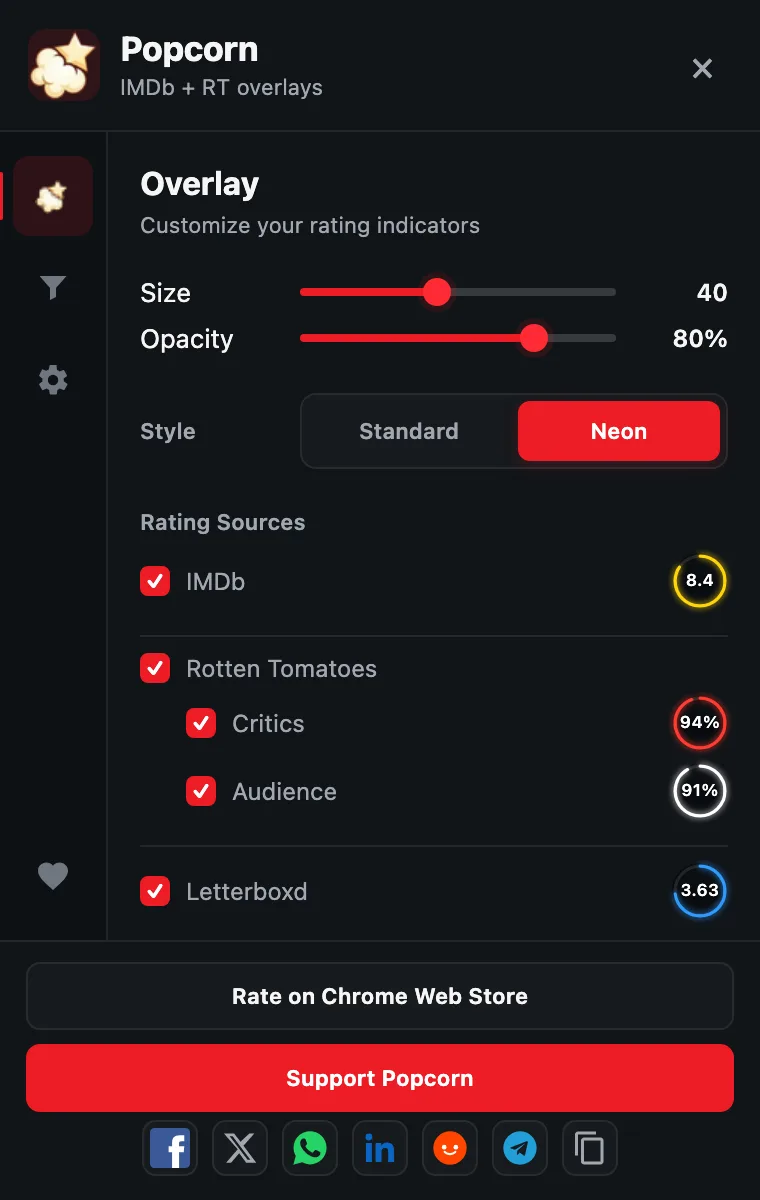
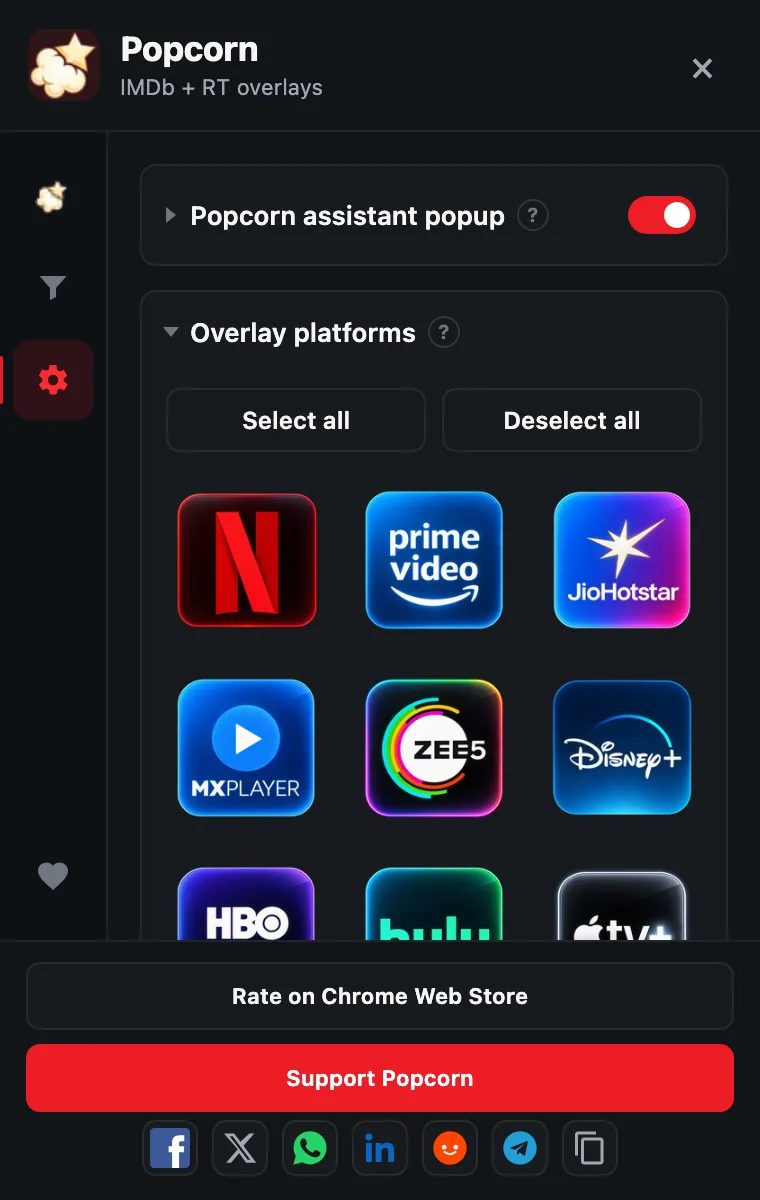
Choose Standard or Neon chips, set their size, and pick which sources to show. Turn each streaming service on or off from the same popup.
On a title page, Popcorn adds Watch Trailer after the scores when a YouTube trailer is available. The link opens on YouTube. Titles without one do not show it.
Yes. Popcorn is a free Chrome extension. There is no account to create and nothing to set up.
Netflix, Prime Video, Disney+, JioHotstar, Apple TV+, HBO Max, ZEE5, MX Player and Hulu. You can turn individual services on or off from the toolbar popup.
Add Popcorn to Chrome, then open netflix.com in the same browser while signed in. IMDb, Rotten Tomatoes, Letterboxd and Metacritic scores appear on title cards as you scroll, when Popcorn has them. The other supported services work the same way.
IMDb out of 10, the Rotten Tomatoes Tomatometer and Audience Score, Letterboxd out of 5, and the Metacritic Metascore and user score. A score appears when Popcorn has it, and you choose which sources to show.
On a title page, Popcorn adds Watch Trailer after the scores when a YouTube trailer is available. The link opens on YouTube. Titles without one do not show it.
Popcorn shows a score only when it has matched the title and has that rating. When a source has no score, that badge is left off. Popcorn does not guess.
To look up a score, Popcorn sends the titles shown on the page to popcornclub.in, with the streaming service, catalog region and display language. It does not send your name, email or streaming account, and there is no user identifier. Your filter and overlay settings stay in your browser. The privacy page has the details.
Popcorn is built and tested for Chrome on desktop. It does not work inside phone or TV apps.
No. Popcorn is an independent extension and is not affiliated with the streaming services or rating sources it displays.
Free on the Chrome Web Store. Preferences stay in your browser; title lookups go to popcornclub.in — nothing is invented when a match is missing.
Add to Chrome